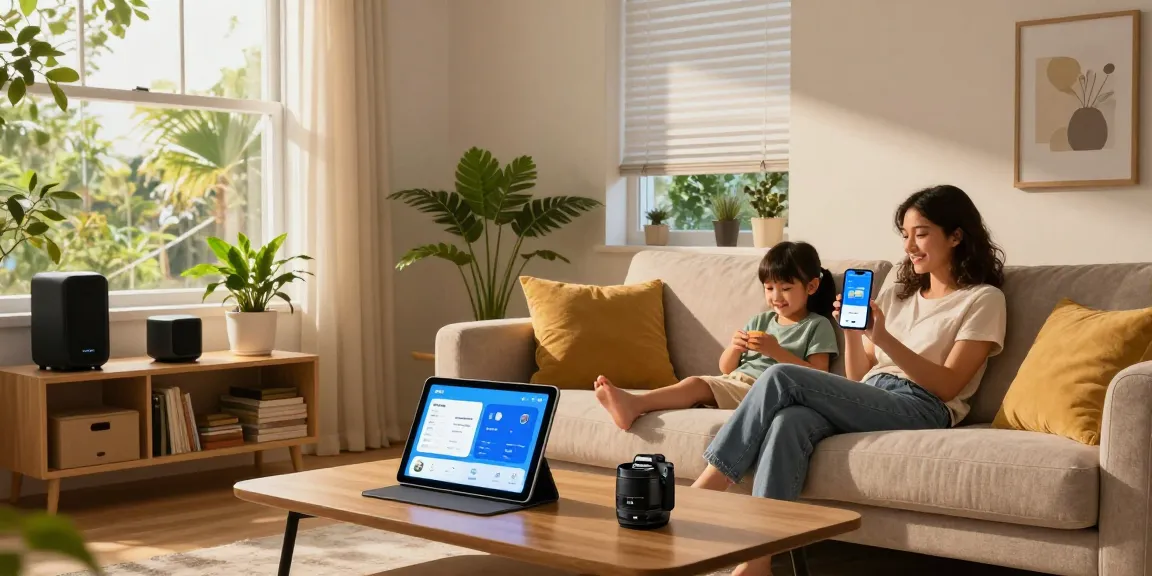
Understanding IKEA Smart Home Fundamentals
The concept of smart homes has gained significant traction in recent years, with various companies vying to create the most user-friendly and efficient ecosystems for homeowners. Among these, IKEA smart home stands out due to its integration of affordability, accessibility, and innovative technology. This article delves into the fundamentals of the IKEA smart home system, exploring its key components, advantages, and the latest product offerings for 2026.
What is the IKEA Smart Home System?
The IKEA smart home system is designed to provide a seamless integration of smart technology in everyday living spaces. It emphasizes simplicity and ease of use, allowing users to control various devices from a single platform. This system is built around a central hub, which connects various smart devices, enabling them to communicate with each other and be controlled remotely via an app or voice assistant. At its core, IKEA’s approach is to enhance convenience and sustainability without overwhelming users with complex setups.
Key Components of IKEA Smart Home Technology
- Smart Hub: The DIRIGERA hub acts as the brain of the system, connecting all smart devices.
- Lighting: Smart bulbs and fixtures that can be controlled remotely or set to schedules.
- Automated Blinds: Blinds that can be adjusted automatically according to the time of day or user preference.
- Sound Systems: Wi-Fi speakers that offer high-quality audio and can be grouped for multi-room listening.
- Security Devices: Sensors for doors and windows that enhance home security and monitor activity.
Advantages of Integrating IKEA Smart Home Products
Integrating IKEA smart home products comes with numerous advantages. Firstly, they offer an affordable entry point into the smart home ecosystem, making advanced technology accessible to a broader audience. Secondly, the compatibility with Matter—a universal connectivity standard—enhances interoperability with devices from other brands, ensuring a cohesive experience. Additionally, the user-friendly app allows for intuitive control and customization, enabling users to create a smart environment that fits their lifestyle.
Top IKEA Smart Home Devices for 2026
Smart Lighting Solutions from IKEA
Lighting sets the mood in any home, and IKEA’s smart lighting solutions are designed to provide versatility and energy efficiency. Multiple products, such as the KAJPLATS smart bulbs, allow users to adjust brightness and color temperature via the app or voice commands. These bulbs can be paired with motion sensors for automated lighting that enhances security and convenience.
Automated Blinds and Curtains: Convenience Meets Style
Automated blinds and curtains from IKEA add both convenience and aesthetic appeal to any room. With just a tap on the app, users can raise or lower their blinds, making it easy to control light levels and privacy. These products can also be programmed to open or close at specific times of the day, further automating home routines.
Smart Speakers and Sound Systems for Home Entertainment
IKEA’s smart speakers, such as the SYMFONISK series, integrate seamlessly with their smart lighting and home systems, providing a rich audio experience. These speakers not only deliver high-quality sound but can also be controlled alongside other devices, enabling users to enjoy music while managing their home environment effortlessly.
Setting Up Your IKEA Smart Home
Step-by-step Installation Guide for Beginners
Setting up your IKEA smart home system is straightforward. Begin by purchasing the DIRIGERA hub, which will serve as the central control unit. Next, follow these steps:
- Download the IKEA Home Smart app on your smartphone.
- Create an IKEA account or log in if you already have one.
- Connect the DIRIGERA hub to your Wi-Fi network following the app instructions.
- Install and connect additional devices (lights, blinds, etc.) through the app.
- Customize your settings and routines to suit your lifestyle.
Using the IKEA Home Smart App Effectively
The IKEA Home Smart app is pivotal for managing your smart home. Users can create custom scenes—like ‘movie night’ or ‘bedtime’—to automate multiple devices with one command. The app also allows for remote access, enabling users to control their home environment from anywhere, ensuring comfort and security even when away.
Connecting Devices for Optimal Performance
To ensure that all devices work in harmony, it’s essential to keep the firmware updated regularly. The app will notify users when updates are available, which often include performance enhancements and new features. Additionally, positioning your devices within a reasonable range of the DIRIGERA hub can improve communication between devices, minimizing latency and improving responsiveness.
Best Practices for Using IKEA Smart Home Features
Customizing Lighting Scenes for Every Occasion
Custom lighting scenes can greatly enhance the atmosphere of your home. Experiment with various brightness levels and colors to create unique ambiances for different activities—whether it’s a romantic dinner or a lively game night, the right lighting can set the tone. Save these scenes in the app for easy access whenever needed.
Creating Smart Routines for Daily Convenience
Establishing smart routines can simplify everyday tasks. For instance, set your lights to dim gradually during bedtime or program your blinds to open at sunrise. These automations not only enhance convenience but can also contribute to energy savings by optimizing the use of natural light.
Troubleshooting Common Issues with IKEA Devices
While IKEA smart home devices are designed for ease of use, users may encounter occasional issues. Common troubleshooting steps include:
- Resetting the device if it becomes unresponsive.
- Ensuring the hub is properly connected to Wi-Fi.
- Checking for firmware updates regularly through the app.
- Repositioning devices that may be out of range from the hub.
The Future of Smart Home Technology with IKEA
Innovations on the Horizon: What’s Next for IKEA Smart Home?
As smart home technology continues to evolve, IKEA is committed to incorporating innovative solutions that enhance user experience. Upcoming products are expected to leverage AI for improved automation and personalization, making the smart home experience even more intuitive.
How Matter Compatibility Will Change the Game
The recent shift towards Matter compatibility is a significant game changer for smart home ecosystems. This standard allows IKEA products to communicate with devices from other brands seamlessly, reducing compatibility issues and creating a more unified smart home. Users can look forward to a broader selection of compatible products and enhanced functionality.
Expert Predictions for Smart Home Trends in 2026 and Beyond
Experts predict that the integration of smart technologies will continue to deepen in residential settings. Trends such as increased focus on energy efficiency, greater emphasis on user privacy and security, and the rise of personal assistant capabilities are all expected to shape the future of smart homes. IKEA’s commitment to innovation positions it well to adapt to and lead these trends.
What are the main features of the IKEA smart home system?
The IKEA smart home system includes several key components, including smart lighting, automated blinds, sound systems, and a central hub, all designed for easy integration and user-friendly control.
Is the IKEA smart hub worth the investment?
Reviews suggest that the IKEA smart hub is a solid investment for those looking to create an affordable yet effective smart home ecosystem. Its compatibility with various devices and ease of use make it a popular choice among users.
How can I integrate IKEA smart home products with existing devices?
By leveraging Matter compatibility, users can easily integrate IKEA products with existing smart home devices from various brands, thus enhancing their home automation without having to purchase all new technologies.
What are common issues users face with IKEA smart home devices?
Common issues include connectivity problems, device non-responsiveness, and difficulties with setup. However, most can be resolved through straightforward troubleshooting steps provided in the app.
How do I get started with my first IKEA smart home product?
Begin your journey with the IKEA smart home by choosing a central hub like the DIRIGERA hub, then select a simple device such as smart bulbs or plugs to get accustomed to the system.